Your inbox has fourteen unread messages. Two of them need a thoughtful reply, one involves a decision only you can make, and the rest are things your team could handle if they knew what to do. That’s not a crisis. It’s just Tuesday, and it has been Tuesday for three years.
Why Service Business Owners Stay Stuck Here
The honest reason most service businesses underuse AI has nothing to do with capability. The learning curve gets presented as an all-or-nothing investment, as though improving your operations requires clearing your calendar to research tools, test platforms, and rebuild workflows before anything changes. That’s not realistic when you’re already the person every question runs through.
Most AI content is also written for a different kind of founder: someone with a tech-comfortable team, a designated operations manager, and the bandwidth to evaluate ten tools before committing to one. If you’re still personally handling client emails, approving invoices, and making hiring decisions in the same afternoon, most of that advice wasn’t written for you.
What actually helps is narrow and specific. Three tools, clear use cases, and relief you can feel in the first sitting, not after weeks of setup or a subscription to something you’ll open twice and abandon.
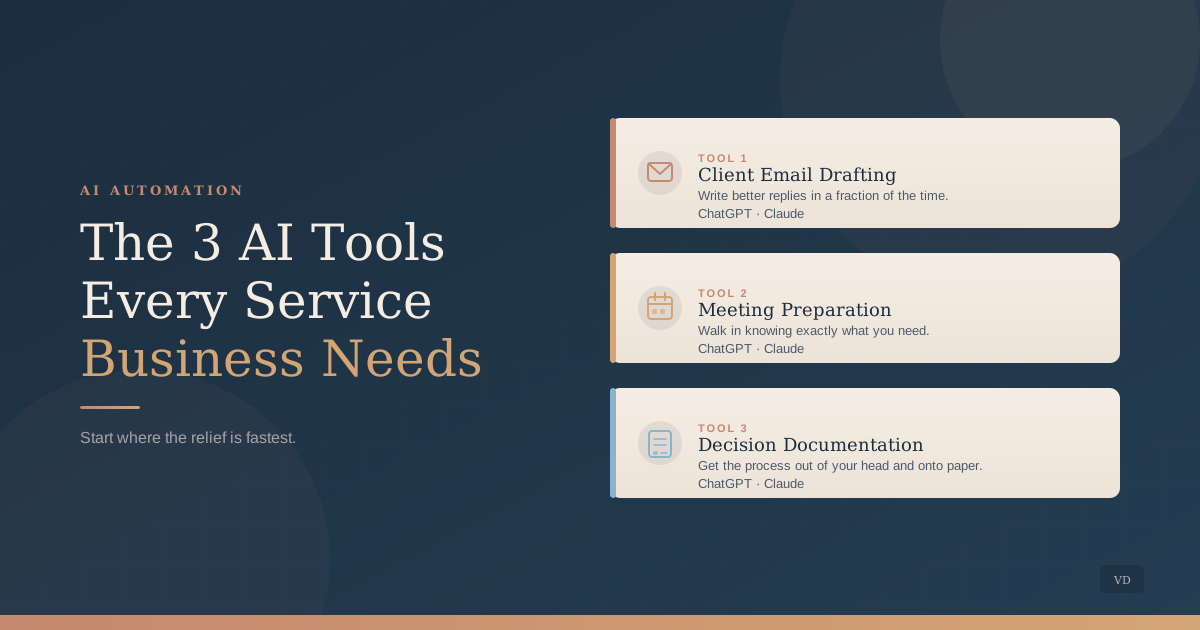
The Three Tools Worth Your Time
Tool 1: AI writing assistance for client communication
Client emails are one of the highest-friction tasks in a service business. They require careful language, often involve nuance, and you end up writing versions of the same message dozens of times across different clients and contexts. Most owners write everything from scratch or send something too generic. Both approaches have real costs.
ChatGPT and Claude handle this well when you treat them as drafting partners, not finished-email generators. Give the tool the context: who the client is, what the situation involves, and what you need the message to accomplish. The tool produces a draft. You read it once, adjust anything that doesn’t match your voice or the specific relationship, and send.
Your judgment and your relationship with the client stay intact. What you remove is the 25 minutes spent composing a reply you’ve written some version of forty times before. Across a week, that adds up to several hours that belong somewhere more useful.
Tool 2: AI for meeting preparation
Before a client meeting, most service business owners either over-prepare or walk in with a rough idea of what they want to cover. Both approaches have costs: one takes time you don’t have, the other leads to meetings that drift and require follow-up calls to finish what could have been resolved the first time.
A prompt to ChatGPT or Claude takes your rough notes, a brief description of the client situation, and a list of what you need from the meeting, and produces a clear agenda in minutes. Include the questions you want answered, the decisions that need to get made, and one sentence about where the client relationship currently stands.
The agenda is only part of the value. The process of building the prompt forces you to think clearly about what you actually need before you walk in. That habit alone shifts the quality of your client work over time, not dramatically, but steadily in the direction of fewer follow-ups and cleaner outcomes.
Tool 3: AI for turning recurring decisions into documentation
This is the one most owners haven’t tried yet, and it’s the one with the most direct effect on daily interruptions. Every recurring decision in your business has an implicit process behind it: how you price a project, what you do when a client misses a payment, how you evaluate a new hire. That knowledge lives entirely in your head, which means everything runs through you, every time, because there is no other way for your team to access it.
AI can help you pull that knowledge out and structure it for someone else. Describe a recurring decision to the tool. Walk through how you think about it, what factors matter, what you typically land on. Ask it to produce a decision framework or a short checklist your team could follow. What used to require an afternoon of careful writing now takes about twenty minutes of back-and-forth.
The outcome is not a perfect system on the first pass. It is a working draft your team can test and refine, which is further than most of that knowledge has ever made it out of your head. Over time, this is one of the most direct paths to reducing the questions and judgment calls that land on your desk every day.
“Everything runs through me.” That stays true until the process lives somewhere besides your head.
A Prompt You Can Use Today
Start with Tool 3, because it compounds fastest. Use this with ChatGPT, Claude, or a similar tool:
You are helping me document a business decision I make regularly. Here is how I currently think through it: [describe your process in rough notes]. Turn this into a concise framework my team could follow, including: a one-sentence description of when to use it, the three main factors I consider, and what action each scenario typically leads to. Keep it practical and short enough to actually use.
What Trips People Up
The revision gap. AI drafts are starting points. The most common mistake is treating the first output as final, especially for client emails. A two-minute read-through before sending is not optional. A phrase that doesn’t match your voice or a detail that’s slightly off will erode trust faster than a slow reply ever would. The tool removes the blank page problem. You still provide the judgment.
Starting with all three at once. Picking all three tools in the same week usually means none of them stick. Start with one, use it consistently for two weeks until it feels automatic, then add the next. Consistent daily use compounds in a way that occasional use never does. The goal is habit, not a full AI strategy rollout.
What you share. General process descriptions, rough notes, and anonymized situation types are all fine to put into AI tools. Specific client names, contract details, and confidential business information should stay out of any tool you haven’t specifically vetted for that purpose. Most mainstream tools have privacy policies worth reading once before you get comfortable using them for anything client-adjacent.
Where to Begin
If you’re not sure which of these three fits your situation first, the answer is usually wherever your time is disappearing right now. Is it client communication, meeting preparation, or the quiet weight of decisions only you can make? Each one points to a clear starting place.
None of these tools requires a new operating system or a week of research. They require about an hour of honest use before you know whether they fit. Most people find they do.
If you’d like a conversation about where AI can give your business the most immediate breathing room, that’s exactly what the first call covers.
Book a free discovery call
About the author
Missy Ross
Missy Ross is the Founder and AI Architect of Vero Dawn, an AI architecture and solutions company that helps businesses see what could work better, determine the right solution, and bring it to life. Before founding Vero Dawn she spent 21 years in internal audit across banking and manufacturing, at Audit Director level.